
How to integrate ERP with Magento 2: integration methods, data mapping, B2B sync logic, and common mistakes. SAP, Dynamics 365, NetSuite, Odoo compared.
TL;DR:
Magento ERP integration connects your store's orders, inventory, customers, and pricing with your back-office system — eliminating manual data entry and making your ERP the single source of truth. This guide covers how integration actually works at the data level, which ERP systems pair best with Magento in 2026, three integration methods (API, middleware, iPaaS) with honest trade-offs, and what changes when you're running B2B. If you're evaluating an integration project, this is everything you need to ask the right questions before writing a single line of code.
What Magento ERP Integration Actually Does
Most guides define Magento ERP integration as "connecting your store with your back-office system." That's accurate but incomplete. It's like saying email is "sending messages" — technically true, yet it tells you nothing about what makes it work or fail.
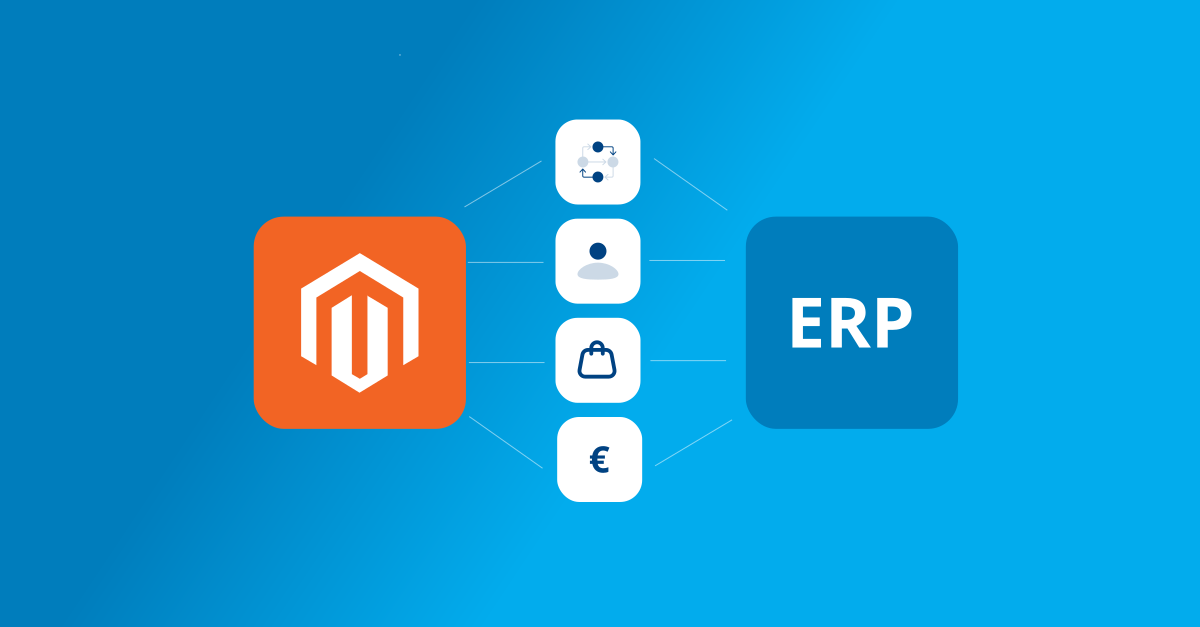
At its core, Magento ERP integration is a data synchronization architecture. It ensures that five core entities stay consistent across two systems that were never designed to speak the same language:
Orders. When a customer completes checkout in Magento, the order data — line items, shipping address, payment method, applied discounts — needs to reach your ERP for invoicing, fulfillment, and accounting. In most setups, the ERP becomes the system of record for the order once it's been received.
Inventory. Stock quantities originate in the ERP (or warehouse management system) and flow to Magento to update product availability. This sync needs to happen frequently enough that customers don't purchase items that are already out of stock in the warehouse.
Customers. Customer records — including contact details, account groups, tax classifications, and credit terms — need to exist in both systems. The direction of the sync depends on the business: B2C stores often create customers in Magento first, while B2B operations usually maintain customer master data in the ERP.
Products. Product names, descriptions, SKUs, categories, and attributes typically originate in the ERP or PIM system and get pushed to Magento. Pricing can travel the same path, or it can be managed independently in Magento depending on the complexity of the pricing model.
Pricing. For simple B2C stores, prices live in Magento and the ERP receives them as part of the order. For B2B, pricing often lives in the ERP — with customer-specific price lists, volume discounts, and negotiated contracts that need to be reflected on the storefront in real time.
The challenge isn't connecting these systems. Magento has a comprehensive REST API, and every modern ERP exposes endpoints for these entities. The challenge is deciding how data flows, when it syncs, what happens when it fails, and which system wins when there's a conflict. Those are architecture decisions, not connector configurations — and they determine whether your integration runs smoothly for years or becomes a source of constant firefighting.
When Your Magento Store Needs ERP Integration
Not every Magento store needs ERP integration on day one. But there are clear signals that manual processes have reached their limit.
You're processing more than 50–100 orders per day. At this volume, manually transferring order data between Magento and your accounting or fulfillment system introduces delays and errors that directly affect customer experience. A 2025 survey by Parseur and QuestionPro found that manual data entry costs companies an average of $28,500 per employee annually, with half of respondents reporting it causes errors and delays.
Inventory discrepancies are causing overselling. If customers can order products that are already out of stock in your warehouse, you have a sync problem. This is the most common trigger for ERP integration — and the most expensive to ignore, because every oversold order requires manual intervention, customer communication, and potential refunds.
Your team spends hours reconciling data across systems. If someone on your team is regularly exporting CSVs from Magento and importing them into your ERP (or vice versa), that workflow is a bottleneck. It doesn't scale, and every manual step is a point where errors can enter the system.
You're expanding to B2B or multi-warehouse operations. The moment you need customer-specific pricing, company accounts, or inventory allocation across multiple locations, manual processes become unworkable. Magento's B2B module and Multi-Source Inventory (MSI) are powerful, but they only deliver value when they're connected to the systems that actually manage stock and pricing at the operational level.
Financial reporting requires real-time accuracy. If your accounting team is waiting until end-of-day (or end-of-week) to reconcile eCommerce revenue with the general ledger, integration eliminates that lag and gives finance the real-time visibility they need.
If two or more of these apply to your operation, integration isn't a nice-to-have — it's the infrastructure your business needs to keep growing without adding proportional headcount to manage it.
ERP Systems That Work Best With Magento in 2026
Not every ERP is equally well-suited for Magento integration. The right choice depends on your business size, industry, existing tech stack, and whether you're running B2C, B2B, or both. Here's how the major options compare for Magento merchants specifically.
SAP Business One and S/4HANA
SAP Business One is the mid-market option, designed for companies with 10–500 employees. It has strong financials, inventory management, and manufacturing support. S/4HANA is the enterprise-grade platform — far more powerful, but also far more complex and expensive to implement.
For Magento integration, SAP offers certified connectors through partners and its own SAP Business Technology Platform. The integration complexity is moderate for Business One and high for S/4HANA, where you'll likely need middleware or a dedicated integration platform.
Best for: manufacturers and distributors with complex supply chains who need deep financial controls and multi-entity reporting.
Microsoft Dynamics 365 Business Central
Dynamics 365 Business Central (formerly Navision) is one of the most common ERPs in the European mid-market — particularly in the Benelux, DACH, and Nordics regions. If your organization already uses the Microsoft ecosystem (Azure, Office 365, Power BI), Business Central integrates naturally with those tools.
For Magento, several established connectors exist, including solutions from partners like Alumio, ChannelEngine, and custom-built integrations. The REST API is well-documented and Business Central's event-based architecture supports real-time sync scenarios.
Best for: European B2B and B2C merchants already invested in the Microsoft stack, especially those who need tight integration with Power BI for reporting.
Oracle NetSuite
NetSuite is a cloud-native ERP that bundles financials, inventory, CRM, and eCommerce capabilities in a single platform. It's popular among fast-growing DTC brands and mid-market companies because it scales without requiring on-premise infrastructure.
NetSuite's SuiteCommerce can replace Magento entirely, but many merchants prefer Magento's flexibility for the storefront and use NetSuite purely as the back-office system. Integration is typically handled via SuiteTalk (SOAP API) or RESTlets, with middleware platforms like Celigo offering pre-built Magento connectors.
Best for: fast-growing B2C and DTC brands that need a cloud-first ERP with strong financials and multi-subsidiary support.
Odoo
Odoo is the open-source option — modular, flexible, and significantly less expensive than SAP or NetSuite. It covers ERP, CRM, accounting, inventory, manufacturing, and HR in a single platform, and you can start with just the modules you need.
For Magento, integration is typically custom-built using Odoo's REST API or through connectors like the Odoo Magento Connector. The integration surface is simpler than SAP or Dynamics, making it faster to implement, but it requires more custom development for complex scenarios.
Best for: small to mid-market merchants who want an affordable, modular ERP without vendor lock-in — particularly those with technical teams who are comfortable with open-source tools.
Exact (Netherlands / Benelux)
Exact is the dominant ERP and accounting platform in the Netherlands and Belgium, used by over 600,000 businesses in the Benelux region. Exact Online (cloud) and Exact Globe (on-premise) are the two main variants.
For Magento merchants in the Benelux, Exact integration is often a requirement rather than a choice — because accountants, warehouses, and logistics partners in the region already work with Exact. Integration is handled via Exact's REST API (for Exact Online) or XML-based interfaces (for Globe). Middleware platforms like Alumio and Channable support pre-built connectors.
Best for: Dutch and Belgian merchants who need their eCommerce platform to connect with the accounting and logistics ecosystem their partners and suppliers already use.
How to Choose
The ERP decision isn't primarily a technical one — it's a business fit question. Start with what your finance team, warehouse, and existing partners already use. Then evaluate how well that system's API and data model align with Magento's entities. A technically superior ERP that doesn't match your operational reality will create more problems than it solves.
Three Integration Methods Compared: API, Middleware, and iPaaS
Once you've chosen an ERP, the next decision is how to connect it with Magento. There are three main approaches, each with distinct trade-offs.
Direct API Integration
Direct API integration means building a custom connection between Magento's REST API and the ERP's API. Your development team writes the code that maps data fields, handles authentication, manages sync schedules, and processes errors.
This approach gives you maximum control. You decide exactly what data flows where, how conflicts are resolved, and how errors are handled. There's no middleware vendor to depend on, no subscription fees, and no abstraction layer between your systems.
The downside is that you own everything — including maintenance, error monitoring, and updates when either Magento or the ERP changes its API. For simple integrations (syncing orders and inventory in one direction), direct API works well. For complex scenarios with bi-directional sync, multiple entities, and real-time requirements, the development and maintenance effort scales quickly.
When it works: small-to-medium stores with straightforward sync requirements and an in-house development team capable of building and maintaining the integration.
When it breaks: multi-entity, bi-directional integrations where the number of edge cases (partial shipments, split orders, returns, credit notes) exceeds what a custom-built solution can handle reliably without dedicated monitoring infrastructure.
Middleware (Custom Connector Layer)
Middleware sits between Magento and the ERP as a dedicated integration layer. It handles data transformation, queue management, retry logic, error logging, and sync orchestration — abstracting the complexity away from both systems.
This is the approach most agencies (including Eltrino) use for complex B2B integrations, because it separates the integration logic from the application logic. If Magento's API changes in an upgrade, you update the middleware — not the ERP connector. If the ERP's data model evolves, you adjust the mapping layer — not the Magento modules.
Middleware can be custom-built (a dedicated service or module) or based on an open-source framework. The investment is higher than direct API, but the reliability and maintainability at scale make it the more cost-effective choice for integrations that need to run for years without constant developer attention.
When it works: complex integrations with multiple entity types, bi-directional sync, high order volumes, and requirements for error handling, retry logic, and monitoring dashboards.
When it's overkill: simple one-directional sync between a small Magento store and a single ERP, where the volume doesn't justify the additional infrastructure.
iPaaS (Integration Platform as a Service)
iPaaS solutions like Celigo, Alumio, MuleSoft, and Boomi provide pre-built connectors and visual workflow builders for connecting Magento with popular ERPs. They offer a managed infrastructure layer — you configure the integration rather than coding it from scratch.
The advantage is speed to launch. Many iPaaS platforms have pre-built Magento-to-NetSuite or Magento-to-Dynamics connectors that cover standard scenarios (order sync, inventory updates, customer creation) out of the box. You can be running in weeks rather than months.
The trade-offs are subscription costs (which can be significant at scale), dependency on the iPaaS vendor's roadmap, and limited flexibility for edge cases. If your business has non-standard requirements — like custom pricing logic, complex B2B workflows, or industry-specific data transformations — you may find yourself fighting the platform's assumptions rather than benefiting from its abstractions.
When it works: standard integration scenarios where the iPaaS platform has a proven connector for your specific ERP, and the business doesn't have heavily customized Magento workflows.
When it frustrates: highly customized Magento installations where the iPaaS connector's assumptions about data structure don't match reality, requiring extensive workarounds that negate the speed advantage.
Comparison at a Glance
| Factor | Direct API | Middleware | iPaaS |
|---|---|---|---|
| Setup cost | Low–Medium | Medium–High | Medium |
| Monthly cost | Dev time only | Hosting + dev time | Subscription fee |
| Flexibility | Maximum | High | Limited by platform |
| Maintenance burden | On your team | On your team | Shared with vendor |
| Time to launch | 2–6 months | 3–6 months | 2–8 weeks |
| Best for | Simple, one-direction sync | Complex B2B, high-volume | Standard scenarios, fast launch |
The right method depends on complexity, budget, and how much custom logic your integration requires. For most mid-market Magento merchants with B2B requirements, middleware provides the best balance of flexibility and reliability. For smaller B2C stores connecting to a single cloud ERP, iPaaS is often the fastest path to value.
Data Mapping and Sync Architecture
Data mapping is where Magento ERP integration projects succeed or fail. It's the process of defining exactly how information in Magento translates to information in your ERP — and vice versa. Get it right, and data flows seamlessly. Get it wrong, and you'll spend months debugging mismatches that seem random but are actually systematic.
Entity Mapping
Magento and your ERP represent the same business concepts differently. A "customer" in Magento is defined by email address and includes attributes like customer group, store view, and website assignment. A "customer" in SAP Business One is a Business Partner with a card code, payment terms, and credit limit. These aren't the same data model — they're different representations of the same real-world entity.
Entity mapping defines the translation rules: which Magento field maps to which ERP field, how values are transformed (date formats, currency codes, unit conversions), and what happens when a field exists in one system but not the other.
The most common mapping challenges:
SKU mismatches. Magento uses SKU as the primary product identifier. Your ERP might use a different item code format. If Magento calls a product "SHIRT-RED-XL" but your ERP expects "RED-XL-001," every product sync will fail until the mapping is explicit.
Address formats. Magento stores billing and shipping addresses as flat fields. ERPs often structure addresses as sub-entities with their own IDs and validation rules. The mapping needs to handle country code formats (2-letter ISO vs. 3-letter), state/province naming conventions, and postal code validation differences.
Tax calculation ownership. Does Magento calculate tax and pass it to the ERP? Or does the ERP recalculate tax based on its own rules? If both systems calculate independently, rounding differences will produce discrepancies that accumulate over thousands of orders. Define one system as the tax authority and have the other accept its calculations.
Sync Cadence
Not every entity needs to sync at the same frequency. Getting this wrong — either syncing too often or not often enough — creates performance problems or stale data.
Real-time (event-driven): Orders should sync as close to real-time as possible. When a customer places an order, the ERP should know about it within seconds or minutes — not hours. Magento's message queue system (RabbitMQ or database queues) supports event-driven sync natively.
Near-real-time (every 1–15 minutes): Inventory updates are the most common candidate. Full real-time inventory sync puts unnecessary load on both systems; a 5–15 minute cadence is usually sufficient to prevent overselling without overwhelming the API.
Scheduled batch (hourly or daily): Product data, customer master records, and price list updates don't change frequently enough to justify real-time sync. A scheduled batch job that runs once or twice a day is simpler, more reliable, and easier to monitor.
Conflict Resolution
When data exists in both systems, conflicts are inevitable. A customer updates their address in Magento, but a sales rep updates the same customer's address in the ERP. Which one wins?
The answer must be explicit and documented before the integration goes live. The most common approach is to designate a "system of record" for each entity: Magento owns the web-facing customer profile, the ERP owns financial data and credit terms. Conflicts within a shared entity (like addresses) are resolved by timestamp — the most recent update wins — or by designating one system as the master for specific fields.
The worst outcome is having no conflict resolution strategy. Both systems overwrite each other on every sync cycle, and your team discovers the problem only when a customer complains about a wrong shipping address — weeks after it happened.
Adobe Commerce Cloud vs. Open Source: How the Integration Approach Differs
The integration architecture changes depending on whether you're running Adobe Commerce Cloud or Magento Open Source. This distinction matters more than most guides acknowledge.
Adobe Commerce Cloud
Adobe Commerce Cloud provides App Builder (formerly Project Firefly) and Adobe I/O Events — a serverless, event-driven framework for building integrations. Instead of polling Magento's API for changes, you can subscribe to events (order placed, inventory updated, customer created) and trigger integration logic automatically.
This is architecturally cleaner than cron-based polling. It reduces API load, eliminates sync delays, and gives you granular control over which events trigger which actions. Adobe also provides the Adobe Commerce Integration Starter Kit, which includes pre-built event handlers for common ERP integration scenarios.
The trade-off is vendor lock-in. App Builder runs on Adobe's infrastructure, uses Adobe's authentication model, and is tied to Adobe's release cycle. If you ever migrate away from Adobe Commerce Cloud, your integration layer doesn't come with you.
Magento Open Source
On Magento Open Source, you have full control over the integration architecture — but you also have full responsibility for it. There's no App Builder, no managed event system, and no starter kit.
The typical approach is a custom Magento module that publishes events to a message queue (RabbitMQ is supported natively), combined with a consumer service that processes those events and routes them to the ERP. Alternatively, you can use cron-based polling — checking for new or updated entities at defined intervals and pushing them to the ERP.
The advantage is portability. Your integration layer lives in your infrastructure, runs on your terms, and survives platform changes. The disadvantage is that you're building and maintaining the event infrastructure yourself — including reliability, monitoring, and error recovery.
Which Approach Is Better?
Neither, in absolute terms. Adobe Commerce Cloud's event-driven architecture is technically superior for merchants who are committed to the Adobe ecosystem and want a managed integration infrastructure. Magento Open Source's flexibility is better for merchants who need full control, have strong in-house technical teams, or want to avoid platform dependency.
The decision should follow from your existing infrastructure and long-term platform strategy — not from integration preferences alone.
Magento B2B and ERP
Everything discussed so far assumes a relatively straightforward order flow: customer places order → order syncs to ERP → ERP handles fulfillment and invoicing. B2B eCommerce on Magento changes almost every part of that flow.
Company Account Hierarchies
In B2C, a customer is a person. In B2B, a customer is a company — with multiple buyers, approvers, and administrators organized in a hierarchy. Adobe Commerce's B2B module supports company accounts with subordinate users, each with different permissions and spending limits.
Your ERP needs to understand this hierarchy. When a buyer in Company ABC places an order, the ERP should associate it with the correct company account — not with the individual user. This means syncing company structures (parent company, divisions, purchasing departments) between Magento and the ERP, and keeping those structures aligned when employees join, leave, or change roles.
Most pre-built connectors don't handle company hierarchies out of the box. This is where custom integration work becomes necessary — mapping Magento's company entity model to the ERP's customer group or business partner structure.
Customer-Specific Pricing
B2B pricing is rarely a single price list. Merchants offer negotiated prices, volume discounts, tiered pricing, and contract-based rates — often different for every customer or customer group. In Magento, this is managed through shared catalogs and customer group pricing. In the ERP, it's managed through customer-specific price lists or pricing agreements.
The integration challenge is keeping these in sync. If a sales rep negotiates a new price in the ERP, that price needs to appear in the customer's Magento catalog before their next purchase. If the customer's pricing agreement expires, both systems need to revert to the default price list.
This is one of the few scenarios where near-real-time sync (rather than daily batch) is justified for pricing data. A B2B buyer logging in to find yesterday's prices instead of their negotiated rates will pick up the phone — and that phone call costs more than the infrastructure to sync prices every 15 minutes.
Purchase Order and Quote Workflows
B2C checkout is linear: add to cart → enter payment → confirm order. B2B checkout often involves request for quote, internal approval workflows, purchase order numbers, and payment on terms (net-30, net-60) rather than credit card payment at checkout.
Adobe Commerce supports these workflows natively: buyers submit quote requests, sales reps respond with pricing, buyers approve and convert to orders. The integration question is where these workflows live — entirely in Magento, mirrored in the ERP, or split between the two.
The most reliable approach is to treat Magento as the quote and approval interface, and the ERP as the order and fulfillment system. Quotes stay in Magento until they're converted to orders. Once an order is created, it flows to the ERP via the standard order sync pipeline. This keeps the integration surface manageable and avoids the complexity of syncing draft quotes bi-directionally.
Requisition Lists and Reorders
B2B buyers often reorder the same products regularly. Magento's requisition list feature lets buyers save frequently ordered items and resubmit them with one click. This creates a pattern where the same products are ordered at predictable intervals — which is valuable demand data for the ERP's forecasting and inventory planning modules.
If your ERP supports demand planning, feeding requisition list data (or reorder frequency patterns) into its forecasting model can improve inventory accuracy. This is an advanced integration scenario, but it's the kind of intelligence that makes ERP integration genuinely strategic rather than purely operational.
The B2B Integration Bottom Line
B2B integration with Magento is fundamentally more complex than B2C. It involves more entity types (companies, shared catalogs, quotes, requisition lists), more business rules (approval chains, credit limits, payment terms), and more stakeholders (buyers, approvers, sales reps, finance).
If you're evaluating Magento ERP integration for a B2B operation, budget more time for discovery, data mapping, and testing than you would for a B2C project. The integration scope is typically 2–3x larger, and the cost of getting it wrong is proportionally higher — because B2B customers place larger orders, have longer relationships, and are more sensitive to operational friction.
Common ERP Integration Issues
Every ERP integration project runs into problems. Some appear during implementation, others surface months after go-live when data volumes grow or business processes change. Here are the issues we see most often — and what actually resolves them.
Silent Sync Failures
The most dangerous integration problem is one you don't know about. An order fails to sync to the ERP, but no alert fires. The customer thinks their order is being processed, your warehouse never receives it, and you discover the gap three days later when the customer calls asking where their shipment is.
What fixes it: Every sync operation needs a monitoring layer that tracks success and failure independently of both Magento and the ERP. At minimum, implement a dead-letter queue for failed messages, an alerting mechanism (email, Slack, or monitoring dashboard) for failures, and a daily reconciliation check that compares order counts between systems. If there's a discrepancy, someone should know before the customer does.
Over-Syncing
Syncing everything in real-time sounds ideal, but it creates unnecessary API load, increases the chance of rate limiting, and makes debugging harder because every change triggers a cascade of events across both systems.
What fixes it: Match sync frequency to business impact. Orders need near-real-time sync. Inventory updates can run every 5–15 minutes. Product catalog and pricing changes can batch daily or on-demand. Customer records can sync on creation and then update nightly. Design sync cadence around business requirements, not technical capability.
Data Mapping Drift
Integration works perfectly at launch. Then someone adds a new product attribute in Magento, or the ERP team changes a field name in an update, or a new payment method is added to the store. The mapping wasn't updated to reflect the change, and data starts arriving in the wrong fields — or not arriving at all.
What fixes it: Treat your data mapping document as a living artifact, not a launch-day deliverable. Every change to Magento's product attributes, customer fields, or order workflow should trigger a review of the mapping rules. Version your mapping configurations and include them in your deployment checklist.
Duplicate Records
The same customer exists in both systems with slightly different data — different email capitalization, a middle name in one but not the other, or a company name spelled differently. Without a matching strategy, the integration creates a duplicate record on every sync.
What fixes it: Define a matching key for each entity type. For customers, email address (normalized to lowercase) is the most reliable match key. For products, SKU. For orders, Magento's increment ID. The integration logic should check for an existing record using the match key before creating a new one. When a match is found, update instead of insert.
Timeout and Rate Limit Errors
Magento's REST API has rate limiting enabled by default on Adobe Commerce Cloud. ERPs like NetSuite and Dynamics 365 also enforce API call limits. During peak traffic (Black Friday, flash sales), integration requests can hit these limits and fail.
What fixes it: Implement exponential backoff and retry logic in your integration layer. Queue sync requests during peak periods and process them when API availability recovers. For high-volume scenarios, use bulk API endpoints (Magento supports asynchronous bulk operations via POST /V1/products with the async bulk prefix) rather than making individual API calls per record.
Post-Upgrade Breakage
Magento upgrades, ERP patches, and connector updates can all introduce subtle changes that break integrations. A deprecated API endpoint, a changed response format, or a new required field can cause sync failures that only appear after the upgrade goes live.
What fixes it: Always test integrations in a staging environment before upgrading either system. Maintain a test suite that covers critical sync scenarios: order creation, inventory update, customer sync, and price list refresh. Run the test suite against the upgraded system before deploying to production.
Integration Bugs Hidden in Custom Code
Sometimes the integration logic appears correct, but orders still sync with wrong totals, inventory quantities don't match, or customer groups are assigned incorrectly. The root cause often isn't in the integration code itself — it's in custom Magento modules or plugins that modify data between the API layer and the database.
A third-party plugin that recalculates shipping costs after order placement, or a custom observer that modifies customer group assignment, can change the data that the integration reads without leaving any obvious trace. In stores with years of accumulated customizations, no single developer may have full visibility into every active plugin.
What fixes it: When integration behavior doesn't match expectations and the connector code looks correct, the issue is almost always in the Magento application layer. A Magento code audit systematically identifies custom modules, plugins, observers, and preference overrides that interfere with data flow between the storefront, the API, and the database. This is the fastest way to find the hidden layer that's quietly transforming data before the integration ever sees it — and it often reveals performance bottlenecks and security issues alongside the integration problem.
The Pattern Behind All of These
Most integration issues share a root cause: the integration was treated as a one-time setup rather than a living system. ERP integrations need ongoing monitoring, regular mapping reviews, and proactive testing against platform changes. The stores that invest in this maintenance avoid most of the issues above. The ones that don't spend more on reactive firefighting than they would have spent on prevention.
What a Magento ERP Integration Project Looks Like
Understanding the phases of an integration project helps you set realistic expectations for timeline, budget, and internal resource requirements.
Phase 1: Discovery and Scoping (2–4 Weeks)
Before any development begins, the integration team needs to understand how your business actually operates. This means mapping every data flow between your Magento store and back-office operations: what data moves, in which direction, how often, and what happens when it fails.
Discovery typically involves workshops with stakeholders from eCommerce, finance, warehouse operations, and IT. The output is an integration specification document that defines every entity, field mapping, sync direction, cadence, and error handling rule.
Skipping or rushing this phase is the single most common cause of integration failure. Changes discovered during development cost 3–5x more than changes identified during discovery.
Phase 2: Data Mapping and Architecture (1–2 Weeks)
Based on the discovery output, the technical team defines the data mapping rules, chooses the integration method (API, middleware, or iPaaS), and designs the sync architecture — including queue management, retry logic, and monitoring.
This phase also includes a data quality assessment: checking for duplicate records, inconsistent formats, and missing required fields in both systems. Cleaning up data before integration prevents the system from inheriting problems that become exponentially harder to fix once sync is running.
Phase 3: Development and Configuration (4–8 Weeks)
The actual build. For middleware and direct API integrations, this is custom development work. For iPaaS solutions, it's configuration and connector setup with custom logic for non-standard scenarios.
Development should proceed entity by entity — orders first (because they're the most business-critical), then inventory, then customers, then products. Each entity is developed, tested, and validated independently before moving to the next.
Phase 4: Testing (2–4 Weeks)
Integration testing happens in a staging environment with realistic data volumes. The test plan should cover normal operations (order placed, inventory updated), edge cases (partial shipment, canceled order, split payment), and failure scenarios (API timeout, duplicate record, malformed data).
Load testing is especially important if you anticipate high-volume periods. An integration that works perfectly at 50 orders per hour may fail at 500.
Phase 5: Go-Live and Hypercare (1–2 Weeks)
Go-live is rarely a single-day event. Most integration launches use a phased approach: start with order sync only, monitor for a week, then enable inventory sync, then customer sync. This limits the blast radius if something goes wrong.
The hypercare period (typically 1–2 weeks after full go-live) is when the integration team actively monitors every sync operation, responds to failures immediately, and fine-tunes performance based on real production data.
Realistic Timelines
| Integration Complexity | Total Timeline | Typical Budget Range |
|---|---|---|
| Simple (B2C, one-direction, single ERP) | 2–3 months | €15,000–€30,000 |
| Moderate (B2C, bi-directional, middleware) | 3–5 months | €30,000–€60,000 |
| Complex (B2B, multi-entity, custom logic) | 5–9 months | €60,000–€120,000+ |
These ranges assume a professional implementation partner. DIY integrations built by in-house teams often take longer (because integration isn't the team's full-time focus) but cost less in direct spend.
FAQ
Integration costs range from €15,000 for a simple, one-direction B2C setup to €120,000+ for complex B2B integrations with multiple entity types, custom business logic, and bi-directional sync. The biggest cost driver isn't the connector itself — it's the data mapping, testing, and ongoing maintenance. Budget at least 15–20% of the initial build cost for annual maintenance and monitoring.
Yes. Magento Open Source has the same REST API as Adobe Commerce — every entity (orders, products, customers, inventory) is accessible via API endpoints. The difference is that Adobe Commerce provides App Builder and Adobe I/O Events for event-driven integration, while Open Source requires custom module development for event publishing. The integration capabilities are equivalent; the architectural approach differs.
It depends on your region and industry. SAP Business One and Dynamics 365 Business Central are the strongest options for European B2B merchants, particularly in manufacturing and distribution. NetSuite is well-suited for multi-entity B2B operations in North America. Odoo is a cost-effective choice for smaller B2B operations that want modular functionality without enterprise pricing. In the Benelux specifically, Exact is often the default because of its dominance in the regional accounting and logistics ecosystem.
A simple B2C integration can be live in 2–3 months. Moderate complexity (bi-directional sync with middleware) takes 3–5 months. Complex B2B integrations with company hierarchies, custom pricing, and quote workflows typically require 5–9 months from discovery to stable production.
Middleware is a custom-built integration layer that sits between Magento and the ERP — you own it, you host it, and you control every aspect of its behavior. iPaaS (like Celigo, Alumio, or MuleSoft) is a managed platform with pre-built connectors and visual configuration tools. Middleware gives you more flexibility but requires more development investment. iPaaS gets you to production faster but limits your ability to handle non-standard scenarios. For heavily customized Magento stores, middleware is usually the better long-term choice.
Next Steps
If you're planning a Magento ERP integration— or troubleshooting one that isn't working as expected — the right starting point is a clear understanding of your data flows, sync requirements, and business rules. The technology choices follow from those decisions, not the other way around.
Eltrino has been building Magento integrations for over 15 years — including ERP, CRM, and PIM connections for B2B and B2C merchants across Europe. If you're evaluating an integration project and want an honest assessment of scope, timeline, and approach, reach out for a consultation.
About the author
Olena Kulbych
CMO
With 12+ years at Eltrino, Olena bridges tech teams and business leaders, sharing Magento, Hyvä, Shopify, performance, and AI insights rooted in real-world eCommerce.